
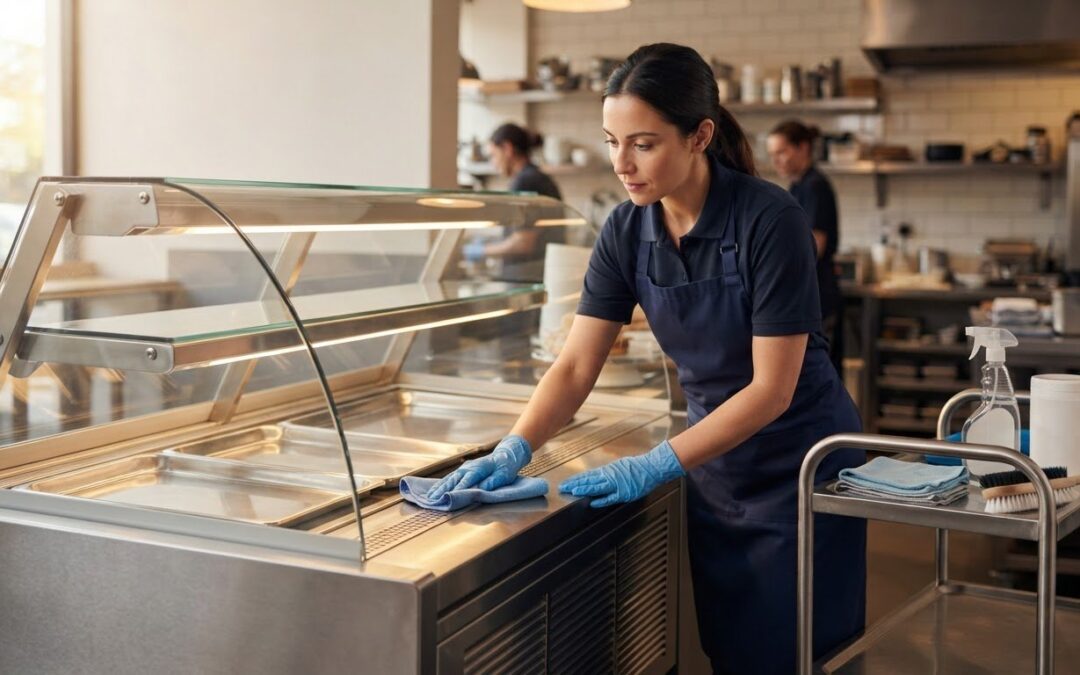
Could a rushed clean leave food residue behind or let moisture reach electrical and refrigeration components? Knowing how to clean commercial food display counters safely means balancing hygiene with care for the surfaces and equipment that keep service running. Stainless steel, glass and other finishes can need different treatment, and a thorough clean has to fit around a busy service schedule.
A reliable process is straightforward when you follow the right sequence. Cleaning removes food debris and soil; sanitising is a separate step that reduces microorganisms on suitable food-contact surfaces. Use products suited to the surfaces, follow their instructions and allow the stated contact time. This guide covers preparation, surface-by-surface cleaning, component protection and a repeatable upkeep routine. It also explains how access and equipment design can make regular cleaning more practical, whether you’re caring for an existing display or planning a new counter.
Key Takeaways
- Start with the counter’s care instructions and identify which surfaces and components need different handling.
- Clean in a measured sequence, following product directions and allowing the stated contact times.
- Adapt your approach to refrigerated, heated and serve-over counters. Don’t assume internal components can be cleaned the same way as accessible surfaces.
- Set a practical schedule around usage, spills and your workplace food-safety procedures, and assign responsibility for recording each task.
- When planning a new display, consider how its layout and access will affect ongoing cleaning.
Why deep-cleaning commercial food display counters matters
A quick wipe during service removes visible marks, but it may not reach edges, joins and fittings where crumbs, grease or dried spills collect. Routine cleaning and a planned deeper clean serve different purposes. A consistent process helps staff check overlooked areas and choose methods that suit the counter’s materials and design.
Deep cleaning a commercial food display counter means going beyond routine wipe-downs to remove accumulated soil from accessible surfaces and fittings. Make it part of a planned cleaning routine rather than waiting until grime is visible. Cleaning removes food residue and other soil; sanitising follows the appropriate cleaning process to reduce microorganisms on relevant surfaces. One step doesn’t replace the other. Choose products suitable for the surface and follow the label, including any stated contact time.
These habits support Food safety principles, where controlling contamination is part of handling and presenting food responsibly. For UK food-hygiene requirements, follow current Food Standards Agency guidance and your workplace procedures.
Which areas need more than a daily wipe?
Check beyond the main display surface. Food particles and grease can collect where components meet, while dust settles on exposed edges and fittings. During a planned clean, inspect:
- Ledges, corners and seams around panels or trim.
- Handles and other frequently touched fittings.
- Removable trays and the surfaces beneath them.
- Customer-facing glass, including its edges and lower frame.
These are inspection points, not a reason to dismantle the counter. Follow the manufacturer’s instructions before removing trays or other parts. If an area is hard to reach, use the method and tools permitted by those instructions. Don’t force access or apply liquid where it could reach components.
How cleaning supports food-safe service
A clean counter makes missed spills and marks easier to spot, while a consistent routine helps staff complete and record tasks reliably. Appearance alone doesn’t establish that a surface has been cleaned and sanitised appropriately. Keep the two tasks distinct in your cleaning plan, and use products according to their labels and the surface manufacturer’s care instructions.
Set cleaning frequency according to actual use, spills, product directions and workplace food-safety procedures. A counter used continuously may need attention at different points from one used intermittently, so one timetable may not suit every area. Check less-visible edges as well as the main surfaces. When planning a new display, consider access and component layout: a counter that is easier to reach can make regular care more manageable.
Prepare commercial food display counters and choose surface-safe cleaning methods
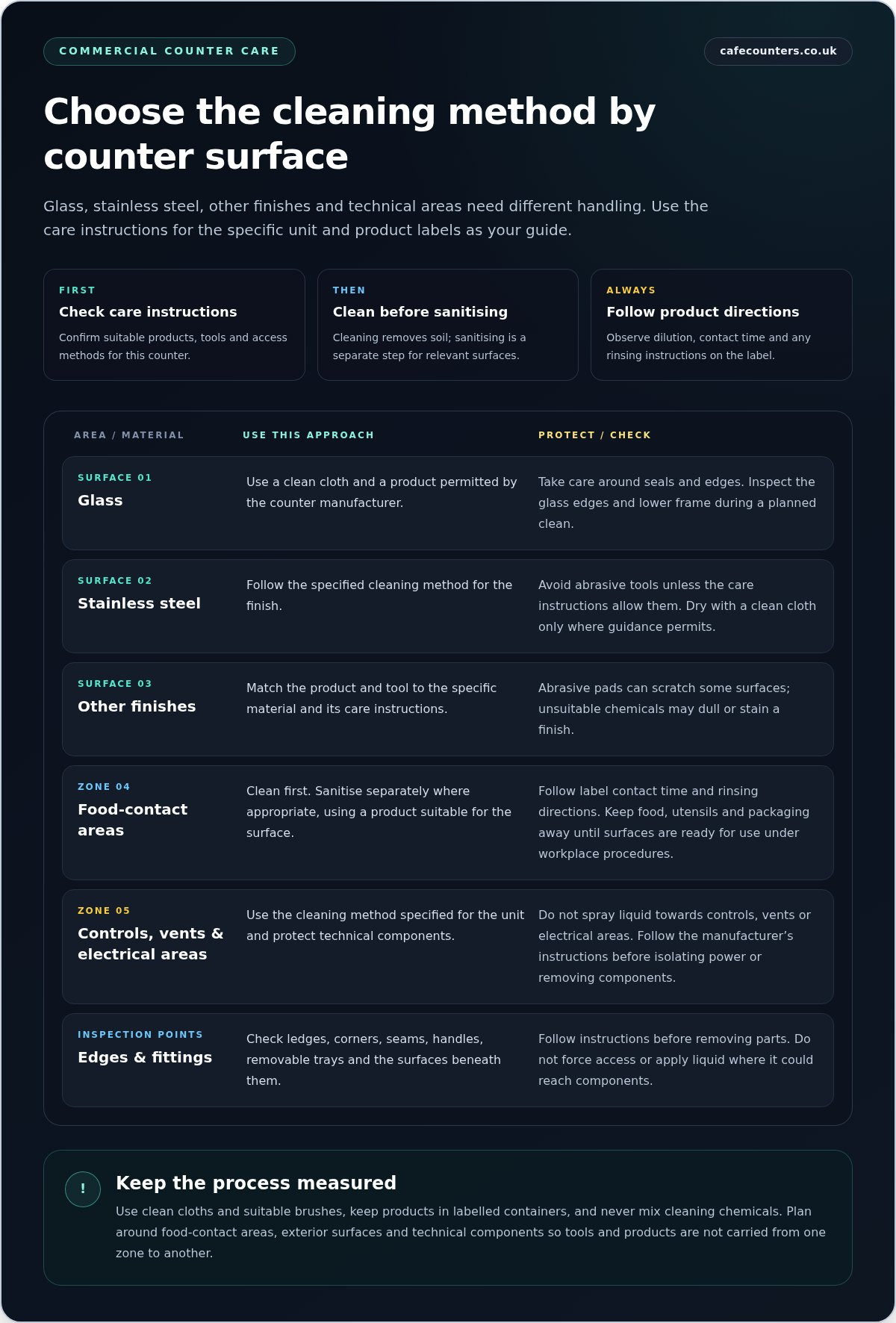
Before deciding how to clean commercial food display counters, read the care instructions for the specific unit. Glass, stainless steel and other finishes can respond differently to cleaning agents and tools, while refrigeration, heating and electrical components need careful protection. A product suitable for one surface may mark another, so don’t use one all-purpose method on every part of the display.
Plan the work in zones: food-contact areas, exterior surfaces and technical components. This helps you select appropriate cloths and products and prevents cleaning solution from being carried from one area to another. Keep food, utensils and packaging away from the work area until cleaning is complete and surfaces are ready for use under workplace procedures.
Gather supplies and make the work area safe
Prepare clean cloths, suitable brushes and products that match the counter’s care instructions. Remove exposed food and service items first. Before isolating power or removing a component, follow the manufacturer’s instructions. Don’t spray liquid towards controls, vents or electrical areas; use the method specified for the unit.
Read each product label before use. Follow directions for dilution, contact time and rinsing, and never mix cleaning chemicals. Keep products in their labelled containers and use them only for the surfaces and purpose stated on the label. If rinsing is required, complete it as directed before using the surface again.
Match the method to glass, stainless steel and other surfaces
Use a method approved for the specific finish. Abrasive pads can scratch some surfaces, while unsuitable chemicals may dull or stain a finish. Glass panels, metal trim and work surfaces on the same counter may require different tools or products. Check the care instructions instead of assuming one method suits the whole unit.
For glass, use a clean cloth and a product permitted by the manufacturer, taking care around seals and edges. For stainless steel, follow the specified cleaning method and avoid abrasive tools unless the instructions allow them. Dry surfaces with a clean cloth only where the care guidance permits. A clean, dry finish also makes missed residue easier to spot during a final inspection.
As a general technical reference, the FDA Food Code for retail food protection discusses cleaning and sanitising in food establishments. It is a US reference, not UK guidance. UK businesses should follow current Food Standards Agency guidance and applicable workplace procedures.
If you’re planning a new display, consider cleaning access alongside presentation and service needs. A practical layout can make regular care easier. Explore commercial food display counters as part of your planning.
How to deep-clean a commercial food display counter step by step
A clear sequence helps staff clean thoroughly without rushing product contact times or exposing technical components to unnecessary moisture. Follow the counter manufacturer’s instructions alongside the cleaning product label and your workplace food-safety procedures. The method can vary by model, so don’t remove parts, shut down equipment or apply products in ways the instructions don’t allow.
- Clear the display and prepare the area. Remove food, utensils and packaging, then store them safely. Keep service items away from the cleaning area. Gather the approved products, clean cloths and suitable brushes before starting.
- Shut down as instructed. Follow the manufacturer’s directions for switching off or isolating the unit before cleaning. Don’t assume every counter shuts down in the same way, and don’t handle electrical or refrigeration components unless the instructions specify a user task.
- Remove only approved parts. Take out trays, shelves or other components only if the instructions identify them as removable or user-cleanable. Place them on a clean, stable surface so they can be cleaned without damage or contamination.
- Remove loose soil first. Work from less-soiled areas towards heavier residue, using a clean cloth or suitable brush. Pay attention to corners and joints, but don’t force tools into openings or scrape finishes with unsuitable implements. Change cloths when they become soiled.
- Wash surfaces and removable parts. Apply the approved cleaning product as directed on its label. Follow the specified dilution, if applicable, and allow the product its full stated contact time. Don’t shorten the wait to speed up the job.
- Rinse or wipe as directed. Remove cleaning residues using the method specified by the product label and equipment instructions. If sanitising is part of your procedure, apply a suitable product as directed and observe its contact time before moving to the next step.
- Dry and inspect before restarting. Air-dry or use a clean cloth according to the product and manufacturer instructions. Check for remaining residue, streaks, trapped moisture and parts that aren’t correctly seated.
Clean the display surfaces and removable parts
Use the permitted method on glass, shelves, trays and accessible interior surfaces. Change to a fresh cloth when moving from dirtier to cleaner areas, and take care around edges and joins. The CDC’s information on foodborne illnesses offers general background on foodborne germs. UK businesses should follow applicable Food Standards Agency guidance and their own food-safety procedures.
Finish, dry and return the unit to service
Reassemble approved parts, then follow the manufacturer’s restart instructions and allow the counter to reach operating conditions. Return food only when the unit is ready under workplace procedures. In short: clear, shut down, clean, rinse or sanitise as directed, dry, inspect and restart according to the instructions.
When planning a new display, practical access can make this sequence easier to carry out consistently. Explore commercial food display counters as part of your equipment planning.
Adapt deep cleaning to refrigerated, heated and serve-over counters
The same cleaning sequence can’t be applied blindly to every display. Refrigerated, heated and serve-over counters differ in their accessible surfaces and user-cleanable parts, while technical components need equipment-specific handling. To clean counters safely, separate routine surface cleaning from work on refrigeration or heating systems. Treat internal technical work as a separate task, not an extension of wiping the display.
| Unit type | Accessible areas to clean | Key precaution |
|---|---|---|
| Refrigerated displays and grab-and-go units | Customer-facing glass, shelves, trays and exterior surfaces | Follow the unit instructions for condensate areas, filters and other components. |
| Heated counters and gantries | Accessible display surfaces and user-cleanable parts | Wait for safe handling conditions as specified by the equipment instructions. |
| Deli and serve-over counters | Accessible glass, work surfaces and removable parts identified in the instructions | Use methods compatible with the materials and finishes; don’t assume technical areas are user-cleanable. |
Refrigerated displays and grab-and-go units
Focus the deep clean on customer-accessible glass, shelves, trays and exterior surfaces. Remove components only where the manufacturer identifies them as user-removable, and use the specified method for each surface. Condensate areas, filters and other refrigeration components vary between units, so follow the equipment instructions before cleaning them. Don’t direct liquid or cleaning products towards technical areas unless the instructions explicitly allow it.
For wider context on commercial cooling equipment, the site’s guide titled Commercial Refrigerators: The Ultimate UK Guide to Professional Cooling Solutions can support equipment planning.
Heated, deli and serve-over counters
For heated units, allow the equipment to reach the safe handling conditions described in its instructions before cleaning. Don’t assume a surface is cool enough to touch or that the same shutdown method applies to every model. Clean accessible areas with products and tools compatible with the materials and finishes, and remove only parts identified as user-cleanable. Keep water and cleaning agents away from technical components unless the manufacturer’s directions permit their use there.
The guide titled Vision Heated Counters: The Professional Guide to Hot Food Display in 2026 offers related context on heated display equipment. The principle is simple: clean accessible surfaces carefully, and keep internal technical work separate from routine surface cleaning.
Equipment design and access affect how straightforward these tasks are. If you’re planning a new display, consider cleaning access alongside service and presentation needs. Explore display counter options for your food-service environment.
Build a repeatable cleaning routine and plan for easier counter care
A dependable routine turns the steps for cleaning commercial food display counters into tasks the team can complete consistently. Set the frequency according to how the counter is used, spills, product instructions and workplace food-safety procedures. A display serving food continuously may need different attention from one used less often, so base the schedule on the operation rather than an arbitrary timetable.
Create a practical cleaning schedule for the team
Separate tasks into between-service cleaning, end-of-day cleaning and planned deep cleaning. During service, staff can deal with spills and keep the display presentable in line with workplace procedures. End-of-day tasks can cover the routine clean, while planned deep cleans give the team time to inspect areas that are easily missed during service.
Use the business’s existing cleaning schedule to record completed work and assign responsibility by role or shift. A simple record can show which task was done, when and by whom, helping the next team see what remains. Keep entries practical and consistent with established procedures; the record should support the work, not add unnecessary administration.
Review the schedule when menus, patterns of use or equipment instructions change. For example, a change in the foods displayed may affect which areas receive frequent spills, while updated care instructions may alter how a removable part should be handled. Make sure relevant team members know about changes before the new routine takes effect.
Consider cleanability when planning a new display counter
If staff repeatedly struggle to reach a ledge, clean around a join or access a user-cleanable part, record the issue. Recurring difficulties can point to a layout or access requirement to address when planning replacement equipment or a bespoke counter. Consider the counter’s position, the space available around it and how staff will carry out routine tasks as well as serve customers.
TFSE Products Ltd designs and manufactures commercial food display counters and bespoke serving counters, and provides planning, installation and after-sales services for businesses across the UK. Its design and manufacturing expertise can help translate operational needs into a display plan. Include cleaning access alongside presentation, service flow and the intended use of the counter. For broader context, the guide on professional restaurant equipment planning can help frame decisions about the working environment and equipment layout.
A routine is most useful when it fits the equipment and the working day. Clear responsibilities, sensible task intervals and a record of completion help make ongoing care manageable. If you’re replacing a display or planning a new service area, explore commercial counter solutions designed around your business’s practical requirements.
Make counter care part of your next equipment decision
A cleaning routine can also reveal what your service area needs next. If staff repeatedly struggle to reach a surface or clean around a fitting, note the issue before planning a refurbishment or replacement. Bringing these day-to-day observations into equipment planning helps keep practical access in view alongside presentation and service flow.
TFSE Products Ltd manufactures commercial food display equipment, bringing UK design and manufacturing expertise to counters for food-service businesses. If you’re considering a new display, weigh your operating environment and cleaning requirements alongside presentation and service needs. Explore commercial food display counter solutions and discuss a counter plan for your business.
With suitable equipment and a routine that fits the working day, maintaining a display becomes a more manageable part of running a professional food service. Review the process as your needs evolve and keep cleaning tasks clear for the team.
Frequently Asked Questions
How often should you deep-clean a commercial food display counter?
Set deep-cleaning frequency according to how the counter is used, spills, its care instructions and your workplace food-safety procedures. A display used heavily throughout service may need closer attention to build-up than one used intermittently. Review cleaning records for recurring spills or missed areas, then adjust planned tasks accordingly. Keep deep cleaning distinct from any more frequent cleaning and sanitising required by your procedures or applicable guidance.
Can you use bleach to clean a commercial food display counter?
Use bleach only if the counter’s manufacturer instructions and the product label allow it for that surface and purpose. Check the label for dilution, contact time and whether rinsing is required. An unsuitable product can damage some finishes, and bleach must never be mixed with other cleaning chemicals. If the instructions don’t establish that it’s suitable, choose a product specified for the surface rather than experimenting on the display.
Can you clean a refrigerated display counter while it is switched on?
Don’t assume it’s safe to clean a refrigerated counter while it’s running. Follow the unit’s instructions for shutdown or isolation before cleaning, particularly near controls, vents and other technical areas. Directions for external surfaces don’t automatically apply to shelves, interiors or components. If a spill occurs during service, use only the method permitted by the equipment instructions and workplace procedures.
What should you do if cleaning chemicals leave a residue on the counter?
Keep food and service items off the affected surface, then follow the cleaning product label and counter instructions to remove the residue. If they require rinsing, use the stated method and inspect the area again before putting it back into use. Don’t apply another chemical to cover or neutralise the first one, and never mix products. If residue remains, pause and follow your workplace procedure for handling an unresolved cleaning issue.
How do you clean glass on a commercial food display counter without streaks?
Use a clean, lint-free cloth and a glass-cleaning method permitted by the counter’s care instructions. Apply the product as its label directs rather than spraying towards seals, edges or nearby technical areas. Use a fresh cloth if the first becomes damp or soiled, then dry or buff the glass only if the equipment instructions allow it. Cleaning in manageable sections makes missed marks easier to spot under the display lighting.
Should staff clean refrigeration or heating components during a deep clean?
Staff should clean only components the manufacturer identifies as user-cleanable, following the unit’s instructions. Internal refrigeration or heating work isn’t routine surface cleaning; it can involve parts beyond the accessible display area. A removable tray may be a staff-cleanable part, while a filter or condensate area may have specific directions. Keep those tasks distinct, and don’t remove covers or reach into technical areas unless the instructions permit it.